
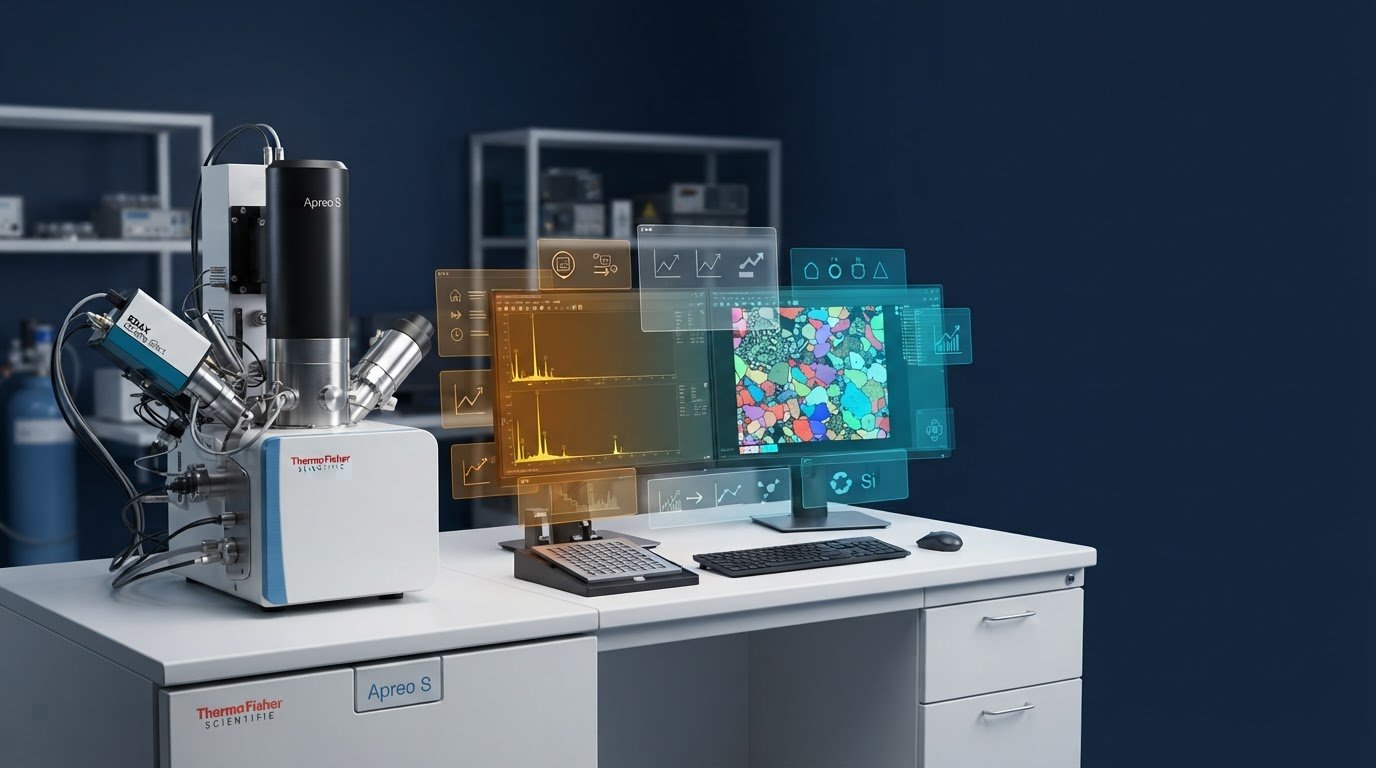
An EDS software upgrade is more than an installer update: it is a controlled change to an analytical workflow. If you’re considering upgrading your eds software, first determine whether the proposed release will work with your SEM, detector, and workstation, and whether it could affect established acquisition or reporting practices.
A useful upgrade addresses a defined laboratory need while preserving confidence in results and continuity with existing methods. That means looking beyond new features to the complete SEM-EDS configuration, software and operating-system requirements, licensing, data handling, and the procedures your team relies on.
This guide explains how to assess the case for an upgrade, check compatibility, plan backups, prepare users, and evaluate performance before returning the system to routine analysis. It also distinguishes analytical EDS software used for microanalysis from similarly named industrial design files and unrelated platforms. A structured approach helps laboratories protect traceability, assess the impact of a change, and avoid preventable disruption.
Key Takeaways
- Define the laboratory need an upgrade should address before weighing new features or changes.
- Document the SEM, EDS detector, software release, and workstation configuration to guide compatibility checks.
- Compare upgrade options by their workflow impact and the evidence available to support a decision.
- When upgrading your eds software, plan backups, testing, responsibilities, and user preparation to protect analytical continuity.
- Assess software changes in the context of the complete SEM-EDS system, laboratory methods, and operator readiness.
What Does Upgrading Your EDS Software Mean in an SEM Laboratory?
In this guide, EDS means energy-dispersive X-ray spectroscopy, a method used with a scanning electron microscope (SEM) to analyze the characteristic X-rays emitted by a sample. EDS software supports the analytical workflow, from acquiring X-ray data to processing spectra or elemental maps and presenting results. For a foundational overview of the method, see Energy-dispersive X-ray spectroscopy on Wikipedia.
That distinction matters because “EDS software” has other meanings in search results. In industrial automation, an Electronic Data Sheet (also abbreviated EDS) is a device-description file used to integrate equipment on networks such as EtherNet/IP. Other unrelated platforms use the same initials. These files and tools are not the analytical software a laboratory uses to collect and interpret SEM-based elemental data.
Which EDS software does this upgrade guide cover?
This guide focuses on software for SEM-based elemental analysis, including functions that connect analysis to the SEM, EDS detector, and laboratory workstation. It does not assume that one vendor’s release path applies to another. Requirements and procedures depend on the software and the configuration of the complete SEM-EDS system.
What can change when EDS software is upgraded?
An upgrade may affect more than the screen layout. Depending on the release and system configuration, it could change how users set up or start acquisition, review spectra, process elemental maps, export data, or generate reports. It may also affect interfaces with the SEM, detector, workstation, or other workflow components. Because changes vary, a feature list alone cannot show whether established laboratory methods will behave as expected.
An EDS software upgrade is a controlled change to an analytical system, its workflows, and the records used to interpret results.
A newer release is not automatically better for every laboratory. It may introduce capabilities that address a real need, such as a reporting requirement or a limitation in current analysis. But if the existing system reliably supports the laboratory’s work, changing it without a defined objective may add complexity without meaningful benefit.
Before upgrading your eds software, state the problem the change is intended to solve. Is there a specific workflow limitation, a system requirement, or a capability needed for planned work? A clear objective gives the upgrade a practical basis and helps the team judge whether it delivered value, rather than treating installation itself as success.
How to Assess EDS Software Compatibility Before an Upgrade
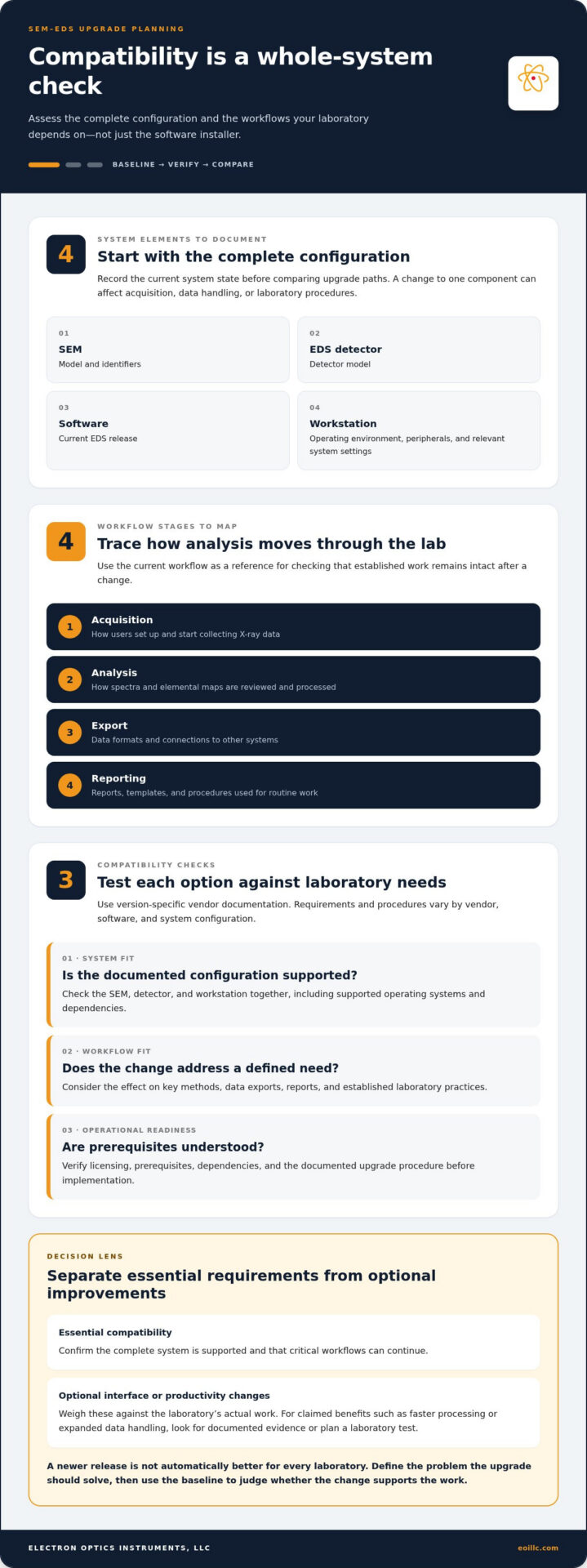
Assess compatibility across the complete instrument configuration, not just the software installer. The SEM, EDS detector, software release, and connected workstation operate as a system; a change to one component can affect acquisition, data handling, or laboratory procedures. Use the workflow below as a planning framework, not a universal installation procedure. Requirements and steps vary by vendor, software, and configuration.
Build a system and workflow baseline
Before comparing upgrade paths, record the current system state. Capture the SEM model and identifiers, detector model, EDS software release, workstation operating environment, connected peripherals, and relevant system settings. Then map how users move from acquisition through analysis, export, and reporting.
Include the methods and tools that support routine work, such as procedures, templates, data formats, and interfaces with other systems. This baseline can reveal dependencies that a software feature list may miss. It also gives the laboratory a reference for checking whether normal workflows remain intact after a change.
Compare upgrade paths against laboratory requirements
Start with a clearly stated analytical need, such as a workflow limitation or a capability required for planned work. Compare the current release with the proposed update and any other options supported for the system. Separate essential compatibility requirements from optional interface or productivity improvements.
Use applicable vendor documentation to verify version-specific requirements, supported operating systems, detector compatibility, licensing, prerequisites, dependencies, and upgrade procedures. Record the source and outcome of each check. Compatibility information for one detector or software release may not apply to another.
- System fit: Does the documented configuration support the SEM, detector, and workstation together?
- Workflow fit: Does the change address the defined need without disrupting key methods, exports, or reports?
- Operational readiness: Are licensing, prerequisites, and dependencies understood before implementation?
This assessment makes upgrading your eds software a reasoned laboratory decision rather than an automatic response to a newer release. For laboratories reviewing the broader SEM-EDS configuration alongside their analytical needs, SEM and EDS system information provides useful context.
How to Compare EDS Software Upgrade Options Without Losing Analytical Context
Compare each option against the laboratory’s actual work, not a feature list in isolation. Consider a targeted software update or a broader system change only when applicable vendor documentation supports that option for the system. For every claimed benefit, such as faster processing or expanded data handling, look for documented evidence or plan a laboratory test rather than assuming the improvement will apply to your configuration.
Which upgrade criteria matter most to SEM-EDS users?
Review compatibility and operational impact together. Current vendor documentation should address the SEM, detector, workstation environment, prerequisites, and licensing relevant to the proposed change. Then assess whether acquisition, analysis, data formats, reporting, and existing integrations will continue to support routine work. Consider training and validation requirements too: even a technically compatible update may require user preparation or method review.
| Criterion | Current-state impact | Evidence to collect | Decision notes |
|---|---|---|---|
| SEM and detector support | Could affect instrument communication or available functions. | Current vendor compatibility documentation for the configured system. | Confirm that the documented combination matches the laboratory’s equipment. |
| Acquisition and analysis | May alter familiar steps, settings, or processing options. | Workflow documentation and tests using representative methods or datasets. | Separate required capabilities from optional interface changes. |
| Data and reporting | Could affect exports, templates, reports, or downstream integrations. | Supported-format details and sample output comparisons. | Identify any changes that affect traceability or established deliverables. |
| Workstation, licensing, and training | May introduce operational prerequisites or learning needs. | Vendor requirements, license terms, and user-readiness assessment. | Record responsibilities and preparation before selecting an option. |
| Implementation impact | May require downtime or coordination across users and systems. | Vendor procedures and a laboratory implementation plan. | Compare disruption with the value of the defined upgrade objective. |
How can a laboratory preserve result comparability?
Before changing software, identify reference samples, established methods, and representative datasets for a controlled comparison. Record relevant acquisition and processing settings, as well as the report or export outputs the laboratory relies on. After implementation, compare results using the same samples and documented conditions where practical, and record any differences for review.
This evidence helps distinguish an analytical change from a difference in presentation or workflow. Consider the upgrade alongside the laboratory’s broader SEM operating practices, since instrument operation and analytical procedures work together. Upgrading your eds software should leave a clear record of what changed, what was tested, and whether the intended analytical outcomes remain comparable.
How to Plan, Test, and Roll Out an EDS Software Upgrade
A disciplined rollout starts before installation. Set a maintenance window that accounts for instrument access, laboratory priorities, and the time needed to test routine work. Assign responsibilities for following the applicable vendor procedure, maintaining records, reviewing test results, and communicating status to users. Follow the vendor’s system-specific instructions; steps for another software release or SEM-EDS configuration may not apply.
What should be documented before installation?
Create a pre-change record of the current software release, system configuration, workstation environment, and relevant instrument state. Identify routine workflow requirements, including methods, templates, and reporting outputs that must remain available. Under laboratory procedures, record where approved backups of data, configuration, methods, and templates are stored, and who is responsible for recovery. Define test cases, expected outputs, acceptance criteria, and reviewers before work begins.
Tell affected users about the planned change in advance. Explain when the system will be unavailable, who will coordinate questions or issue reports, and how users will receive workflow updates or training. Include a rollback or recovery plan consistent with vendor guidance and laboratory procedures. A defined response helps the team manage unexpected issues without improvising changes to the system.
How should the upgraded workflow be evaluated?
After the change, test representative tasks across the analytical workflow: acquire data, process spectra or maps, export results, and generate routine reports. Choose samples and methods that reflect actual laboratory use. Compare outputs with defined references and apply acceptance limits established for the relevant methods; one threshold will not fit every analysis. If results differ, document the deviation and investigate before returning the system to routine use.
- Record the test: Note the workflow, relevant settings, reference used, and observed output.
- Resolve deviations: Document findings and corrective actions, then repeat affected tests as appropriate.
- Approve routine use: Record reviewer sign-off, user readiness, and the final system configuration.
Release the upgraded workflow for routine analysis only after the planned checks are complete and the laboratory’s acceptance criteria are met. This evidence makes upgrading your eds software a controlled transition, with a traceable basis for confidence in ongoing results. For support that strengthens instrument reliability and operator readiness, explore SEM service and technical training.
How SEM Expertise Supports a Reliable EDS Upgrade Decision
An EDS software change sits within a larger instrument environment. The SEM, detector, workstation, analytical methods, and user practices all influence whether a proposed change fits the laboratory’s needs. Considering only the software can overlook system dependencies or workflow impacts. Instrument knowledge helps frame the decision around the complete SEM-EDS configuration.
SEM service and technical training can support instrument reliability and operator confidence by addressing microscope operation and maintenance, as well as routine user tasks. Electron Optics Instruments, LLC brings more than 30 years of industry experience, distributes SEM and EDS systems, and provides electron-microscope service and training for major manufacturers. This experience can help laboratories consider system-level requirements rather than treating a software upgrade as a standalone change.
When does specialist SEM support add value?
Consider instrument expertise when compatibility questions remain unresolved, system behavior is difficult to interpret, or a software change could affect a critical analytical workflow. A specialist familiar with SEM operation can help relate observed issues to instrument configuration and routine care. Technical training can also prepare users to follow established procedures confidently.
What should the laboratory do next?
Before evaluating options, prepare a concise decision record that brings the essential elements together:
- Objective: State the analytical need or workflow limitation the change should address.
- System baseline: Record the SEM, detector, software release, and workstation configuration.
- Workflow impact: Identify affected acquisition, analysis, export, reporting, and user tasks.
- Validation plan: Define reference materials, test cases, acceptance criteria, and reviewers.
Use current vendor documentation and laboratory procedures to guide compatibility checks, implementation, testing, and recovery planning. This creates a traceable basis for deciding whether upgrading your eds software is appropriate and evaluating its effect on established analytical work.
Laboratories reviewing their instrument configuration can explore Electron Optics Instruments, LLC’s SEM and EDS solutions. A clear system baseline and defined analytical objective make the evaluation more focused, whether the next step is an upgrade, additional user preparation, or continued operation of the current setup.
Make Your Next EDS Upgrade a Measured Step Forward
Reliable software decisions begin with a defined analytical need and a clear understanding of the complete SEM-EDS configuration. Document the SEM, detector, workstation, and workflows; compare upgrade options against vendor guidance; then use backups and representative testing to assess compatibility and preserve confidence in results. That disciplined approach helps ensure upgrading your eds software serves laboratory requirements rather than change for its own sake.
Instrument knowledge also matters. With more than 30 years of electron microscopy industry experience, Electron Optics Instruments, LLC provides SEM systems, integrated EDS equipment, and electron-microscope service, including preventative maintenance, repairs, and on-site technical training. These capabilities support reliable instruments and prepared users across laboratory workflows.
Explore Electron Optics Instruments, LLC’s SEM and EDS solutions to assess the system configuration and analytical objectives that will guide your next decision.
Frequently Asked Questions
What does EDS software mean in an SEM laboratory?
In an SEM laboratory, EDS software supports energy-dispersive X-ray spectroscopy, the analysis of X-rays produced when a sample is examined in a scanning electron microscope. It helps users acquire and process spectra or elemental maps and prepare results. The term can also refer to unrelated items, such as Electronic Data Sheet files used in industrial automation. Those device-description files are not the analytical software used for SEM-EDS measurements.
How do I know whether my EDS software needs an upgrade?
An upgrade may be worth evaluating when you can identify a specific analytical need, workflow limitation, or system requirement that the current release does not address. Start by documenting the issue and the outcome you need, then compare it with vendor-documented upgrade capabilities and compatibility requirements. A newer release alone is not sufficient reason to change. When upgrading your eds software, assess its likely effect on established methods, reporting, and user workflows.
Can EDS software be upgraded without changing the SEM or detector?
Sometimes, but only when the proposed software change is supported for the existing SEM, detector, workstation, and system configuration. A software-only update may not require replacing hardware, but compatibility and prerequisites differ among systems and vendors. Review current vendor documentation for the exact configuration and follow its procedure. Treat the decision as system-specific, not as a universal rule that software can always be updated independently.
What should I back up before upgrading EDS software?
Before the change, preserve appropriate copies of analytical data, software configuration, methods, and reporting templates, following your laboratory’s procedures and vendor guidance. Record the current software release, relevant acquisition and processing settings, and workstation configuration so the original state is documented. Confirm that backups are stored in an approved location and that recovery responsibilities are clear. A general workstation backup may not include every instrument-specific setting or file.
How can I validate EDS results after a software upgrade?
Test representative acquisition, analysis, export, and reporting workflows before returning the system to routine use. Use reference samples, established methods, or representative datasets, and compare outputs against criteria defined for the relevant laboratory methods. Record the settings, results, deviations, corrective actions, and reviewer approval. Acceptance limits should be method-specific rather than assumed to apply uniformly. If a result or report changes unexpectedly, investigate and document the difference before approving routine use.
Will upgrading EDS software change existing data or reports?
It depends on the software, the data format, and how the upgrade handles existing files and reporting functions. An upgrade may change how data are displayed, processed, exported, or formatted in reports, even if original data files remain unchanged. Before implementation, preserve the original data and templates, review vendor documentation, and test representative older files and report outputs. Document any differences so users can interpret historical and new results appropriately.
How long does an EDS software upgrade take?
There is no reliable universal duration. The time depends on the vendor’s procedure, the SEM-EDS configuration, workstation prerequisites, backup and recovery tasks, and the laboratory’s testing and review requirements. Plan a maintenance window that allows for implementation and evaluation of representative workflows, not just software installation. Use applicable vendor guidance to estimate the work for the specific system, and communicate expected instrument downtime and responsibilities to affected users.