
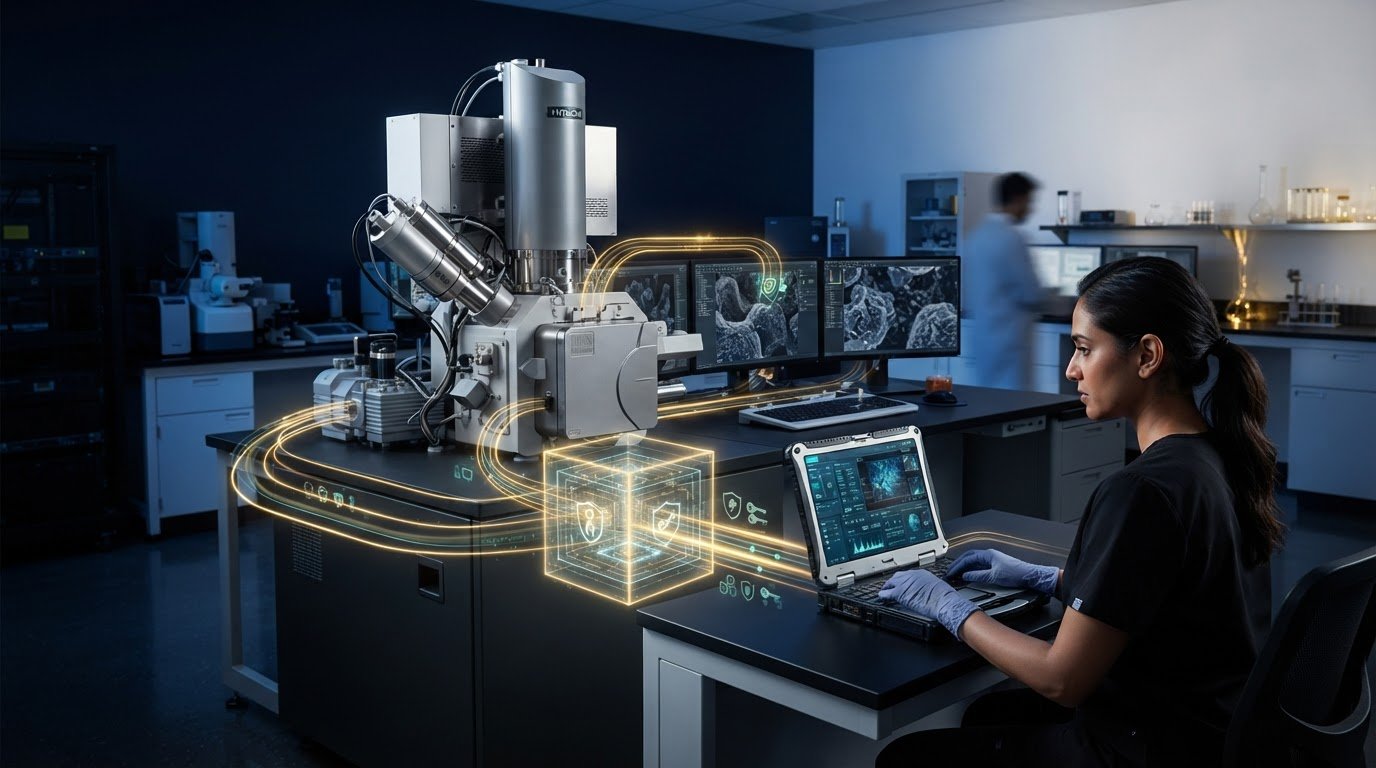
Remote access to a scanning electron microscope requires more than screen-sharing software: the network must securely connect the user to the SEM workstation, and the access method must provide the right level of control. Networking an SEM for remote access typically combines a VPN, which creates a protected route into the network, with remote desktop software such as RDP or VNC to view or control the workstation.
The distinction matters: a VPN connects devices or networks, while RDP and VNC let users interact with a remote computer. Neither removes the need to manage access carefully. This guide explains how these connections work, how VPN, VNC, and RDP differ, and what to consider for SEM workflows, including authentication, network permissions, and the risks of exposing remote-access services directly to the internet.
Key Takeaways
- Understand how VPNs, remote desktops, and SSH connect users to SEM workstations, and how their roles differ.
- Compare VPN, VNC, and RDP by the kind of access each provides and the security considerations that come with it.
- Assess the benefits of remote SEM access alongside risks such as exposed services, weak authentication, and excessive permissions.
- Use layered safeguards, including multifactor authentication, restricted access, and session oversight, to reduce exposure.
- Explore how the Cube II Benchtop SEM can fit into an imaging workflow where remote access is part of the wider system setup.
How Does Remote Computer Access Work?
Remote access connects an off-site user to a computer or network through a controlled communication path. For SEM work, this may provide a desktop view, command-line access, or entry to selected network resources.
Remote Access Methods
Remote access methods determine what users can reach and control, which matters when separating instrument operation from system administration. A VPN connects a device to a network, while zero-trust network access (ZTNA) grants access to specific resources. Remote desktop displays and controls a distant computer; SSH supports command-line access, file transfers, and tunneling. UC Berkeley defines administrative access as higher-level system control, such as root or superuser access, which should be limited to users who need it.
Virtual desktop infrastructure (VDI) hosts desktop environments centrally, so users connect to a managed virtual session rather than a local workstation. This can keep enterprise data on the organization’s network. Remote desktop connections use Transport Layer Security to protect data between the client and the remote desktop.
VPN and Gateway Limitations
A VPN gateway receives client connections and forwards traffic, making its availability essential to traditional VPN access. If the gateway is unreachable, remote users cannot use that route. Split tunneling sends selected internet traffic directly while routing other traffic through the gateway for inspection. An always-on tunnel can keep traffic routed through the gateway even when the user isn’t logged in.
Remote desktop gateways also rely on reachable gateway services and correctly configured access rules. A restricted design for personal PCs can place the VPN connection in a demilitarized zone (DMZ), with remote desktop as the only network access. This limits reach compared with granting broad network access, while still requiring secure authentication.
Remote Access Costs and Network Requirements
Remote access costs depend on the architecture, existing network equipment, software, licensing model, and number of users and devices. Hardware may include a VPN gateway or host system; software may include VPN, remote desktop, or VDI components. Compare these requirements to identify what is already available and where ongoing licensing may be needed.
Firewall rules must allow the selected VPN protocol between the remote client and gateway, then permit the required service, such as RDP or SSH, to the authorized system. The ports depend on the protocol and configuration; opening unrelated services increases exposure. Strong passphrases or another secure authentication method should protect remote desktop and SSH access, according to the UC Berkeley Information Security Office.
Connection Troubleshooting
Troubleshooting the connection one stage at a time helps distinguish a network-path problem from an account or desktop issue. First, confirm the remote device has internet connectivity and the VPN gateway is reachable. Then verify that the VPN tunnel is established, the user has permission to access the target resource, and firewall rules allow the selected protocol.
If the VPN works but the desktop does not, check the destination computer’s network address, availability, and remote desktop service. For SSH, confirm the destination and authentication method. Review gateway or system logs for rejected credentials or blocked traffic, and change one setting at a time to identify the cause.
Remote access risks and benefits
Remote access can let an engineer review SEM images, adjust a workflow, or support an operator without being beside the instrument. It can also reduce delays when a specialist and microscope are in different locations. The value depends on the task: viewing a desktop is different from changing settings or accessing connected systems. Define the work required before granting access.
The main risk is that internet-facing access can turn one compromised account into an entry point. In the 2021 Colonial Pipeline incident, attackers used a former employee’s VPN account that had not been deprovisioned and lacked multifactor authentication. This example highlights two separate controls: remove access when a role ends, and require a second verification method alongside a password.
Exposed operational technology can create consequences beyond a compromised office computer. In the 2023 Aliquippa Water Authority incident, an internet-exposed programmable logic controller used a default password. The practical lesson for an SEM network is to avoid connecting instrument controls to broadly reachable systems without a defined need. Restrict access to the specific workstation and functions required for the task.
Third-party accounts also need lifecycle controls. In the 2025 Jaguar Land Rover incident, a contractor’s stolen VPN credentials had been taken four years before the incident and remained valid without multifactor authentication. A remote-access policy should therefore assign an accountable identity, limit the accessible asset, and end access when the work no longer requires it. Shared credentials make that review harder.
Careful access design can reduce exposure while supporting useful collaboration. Remote desktop can keep enterprise data on the organization’s network rather than transferring files to a remote device. Limited permissions can also separate image review from system administration. For example, a researcher who needs to inspect results may not need authority to install software, change network settings, or control connected equipment.
A small-business example in the research scenario has 100 workers, including 50 office staff, and needs remote access for 5 to 10 users. That distinction matters: broad network access for every employee is not equivalent to controlled access for a defined group. Assign permissions by role, review session activity, and remove access when a user or contractor no longer needs it.
Before enabling remote operation, map the SEM workstation, its network connections, and the tasks remote users perform. If the requirement is only image review, avoid granting control beyond that task. For broader SEM instrument considerations, consider how remote access fits into the instrument’s operating environment and laboratory workflow.
Remote access definition and how it works
Remote access lets an authorized user reach a computer, application, or network resource from another location. For example, a researcher can connect to a laboratory workstation to review SEM images without sitting at the workstation. The connection has two parts: a network path carries traffic, and an access method presents files, commands, or a desktop. Distinguishing them clarifies what the user can actually do.
A typical connection begins when a user authenticates from a remote device. A VPN can create an encrypted route to a network, while a clientless VPN can tunnel selected programs and provide limited access. The organization then grants access to permitted resources. Remote desktop software presents the workstation interface; SSH provides command-line access, file transfers, or connection tunneling. When networking an SEM for remote access, assign each connection only the permissions required for its task.
Access control determines whether a person can view, change, or administer a resource. An image reviewer, for instance, might need the desktop and stored results, while an administrator may need higher-level system control. Single sign-on can help organizations manage user identities while allowing users to use one set of credentials. This can simplify account management, but permissions still need to match each person’s responsibilities.
Remote connections can use different network designs. In a traditional VPN arrangement, a client sends traffic through a gateway, which forwards it to permitted systems. With peer-to-peer mesh networking, devices can exchange connectivity information and then form direct connections using WireGuard tunnels. Because the route affects how devices communicate, design it around which systems need to reach one another, rather than treating the entire network as a single access target.
The visible working environment also varies. A remote desktop lets a user interact with a computer’s graphical interface, while a virtual desktop infrastructure (VDI) session delivers a centrally hosted desktop. In either case, enterprise data can remain on the organization’s network instead of being transferred to the remote device. This can suit image review or analysis when centralized storage and controlled access matter.
For SEM workflows, map each connection from the user’s identity to the destination workstation, then identify the required function: viewing, operating, transferring files, or administering systems. This helps distinguish a limited application tunnel from broader network access. A clear plan for networking an SEM for remote access also aligns permissions with instrument tasks while keeping control systems separate from unrelated resources.

Remote access safety
Configure secure remote access by identifying each user, the specific asset they need, and the task they must perform. Restrict the connection to that asset, require multifactor authentication, and log access so sessions can be reviewed.
For an SEM workstation, access should match the user’s role rather than expose the entire laboratory network. An image reviewer may need stored results, while an operator may need desktop control. A system administrator has broader privileges and should use them only for administration. This limits how far a compromised account can reach.
- Define the permitted access. Assign remote access to a named identity, a specific workstation or application, and a limited period. Avoid broad network access when a single instrument computer meets the task.
- Restrict network paths. Configure network-based controls to limit public internet access and allow connections only through the approved remote-access route. Separate the SEM workstation from unrelated systems wherever the network design permits.
- Require multifactor authentication. Add a second verification method before accepting credentials. A password alone can be exposed through phishing or credential theft; the additional factor makes possession of that password insufficient by itself.
- Assess the connecting device. Review its physical location, management tools, operating-system patch state, and hard-disk encryption. These checks help determine whether a remote computer meets the organization’s device-posture requirements.
- Limit permissions and lateral access. Apply zero-trust policies so each user and device can reach only the resources required. Mesh-network policies can further distinguish access by user, device, port, and real-time device posture.
- Record and review activity. Keep access logs and review who connected, which assets they reached, and what occurred during each session. Remove permissions when a contractor’s work ends or an employee’s role changes.
Training is also a technical safeguard. Remote users should recognize phishing attempts, protect credentials, and handle sensitive information safely. For example, an SEM operator who receives an unexpected sign-in request should report it rather than approve it automatically. Clear procedures help staff distinguish legitimate access prompts from attempts to capture credentials.
Exceptions need documented controls, not informal workarounds. If a team uses an alternative configuration, record its procedures, review the configuration before approval, and include network restrictions, multifactor authentication, and audit logging as compensating controls. These measures make remote access decisions traceable and keep SEM connectivity aligned with the organization’s security design.
VPN, VNC, and RDP
A VPN, VNC, and RDP serve different functions in a remote SEM connection. A VPN creates an encrypted network tunnel; VNC and RDP provide remote desktop access. Combining a VPN with RDP can protect the route while letting an authorized user control a workstation. The right design depends on whether users need full control, screen viewing, or access to other network resources.
VPN: A virtual private network connects a remote device to a network through an authenticated tunnel. IPsec offers encryption, authentication, and broad compatibility, though it typically adds more overhead than newer protocols. WireGuard is designed for faster speeds and lower overhead. OpenVPN is open source, supports many systems, and provides strong authentication and key exchange, though deployment can be complex.
VNC: Virtual Network Computing shares a computer’s graphical desktop, allowing a remote user to view or interact with its interface. It can suit situations where screen sharing is sufficient, but exposed VNC services present a serious security concern. Nearly 60,000 internet-exposed VNC servers have authentication disabled, and more than 670 of those servers provide direct access to OT/ICS control panels.
RDP: Remote Desktop Protocol gives users interactive access to a Windows desktop. It can support SEM workstation control, but direct internet exposure increases risk. More than 1.8 million RDP servers are exposed globally. More than 19,000 remain vulnerable to BlueKeep, a critical remote code execution flaw. A VPN followed by RDP can provide secure, performant access without exposing RDP directly to the internet.
These figures underline the importance of configuration, not just protocol choice. Among exposed RDP servers, 18% run end-of-life Windows versions, and 42% run Windows 10, which reached end of support last October. A remote-access design should use supported operating systems, strong authentication, and restricted network permissions. Avoid treating an encrypted tunnel as permission to reach every device.
For a JEOL SEM, choose software based on whether users need remote control or only screen sharing. Also consider how many simultaneous connections the workflow requires. A single operator reviewing a workstation has different access needs from multiple users coordinating around one session. Define those requirements before choosing between VNC, RDP, or a VPN-based combination.
Match the connection method to the task, then restrict access to the workstation and functions required. Explore SEM system options as you plan the instrument environment around remote workflows.
The scale of VNC exposure reinforces the need to treat screen sharing as a controlled access path: More than 1.6 million VNC servers are exposed on the internet globally. For a JEOL SEM, exposure should not be accepted simply because a remote session is convenient. Keep the access decision tied to the intended task, and make sure only the people who need the workstation can reach it. A narrowly scoped connection is preferable to making the desktop broadly reachable.
Before selecting software for a JEOL SEM, consider how many simultaneous connections the workflow requires. A single user viewing the instrument may have different needs from a group coordinating around one session. Decide whether each person needs to interact with the desktop or whether viewing is enough, then set access accordingly. This aligns the remote-access method with both the work and the number of users involved.
Electron Optics Instruments: Cube II Benchtop SEM
Electron Optics Instruments, LLC offers the Cube II Benchtop SEM for laboratories assessing SEM equipment alongside their remote-workflow requirements. The microscope is one part of the system: remote access also depends on the connected workstation, network design, user permissions, and desktop software. Defining these requirements early helps align instrument use with image review, operator control, and laboratory security policies.
For teams comparing benchtop or tabletop configurations, the Genesis Tabletop SEM and Veritas Series SEM offer additional options to consider. Selection should reflect the intended research or industrial application and how the SEM will fit into the laboratory’s operating environment. Plan remote connectivity as part of the wider workflow, rather than assuming it is a built-in instrument function.
Contact Electron Optics Instruments, LLC to discuss SEM options for your laboratory’s requirements.
Plan the Next Stage of Your SEM Workflow
Remote access works best when planned alongside the laboratory workflow, rather than added after connectivity decisions are fixed. Before selecting equipment, identify who will use the SEM remotely, which tasks they need to perform, and how those tasks fit existing data-handling and security practices. This creates a clear basis for evaluating system configuration and future operating needs.
For teams assessing SEM options, Electron Optics Instruments, LLC offers the Cube II Benchtop SEM, Genesis Tabletop SEM, and Veritas Series SEM. These products provide starting points for considering how an instrument can support research or industrial work. The right direction depends on the application and the role remote access will play in the wider workflow. Planning how to network an SEM for remote access can align instrument selection, connectivity, and user requirements from the outset.
Discuss your laboratory’s SEM requirements with Electron Optics Instruments, LLC and contact the team to explore the next step. A considered workflow is a strong foundation for dependable, informed SEM use.
Frequently Asked Questions
What are the security risks of remote network access and how can they be mitigated?
Remote access can expose sensitive files, enable unauthorized changes, or create a path from a compromised user device into connected systems. Reduce these risks by limiting file transfer and clipboard functions when they aren’t needed, keeping remote devices patched, and ending inactive sessions. For an SEM workstation, define whether users may only view images or also change instrument settings. Maintain a response plan for disabling access and reviewing session records after a suspected compromise.
What firewall ports and protocols are needed for secure remote access?
Firewall rules should allow the selected VPN protocol between the remote client and gateway, then permit only the required service, such as RDP or SSH, to the authorized system. The ports depend on the protocol and configuration; keep unrelated services closed.